Vulnescape - Hack The Box
Machine: Vulnescape
Difficulty: Easy
OS: Windows
Lab Link: https://app.hackthebox.com/machines/VulnEscape
TL;DR
Bypassed RDP Network Level Authentication to access kiosk-locked Windows machine. Escaped kiosk restrictions by accessing file system through Microsoft Edge browser. Renamed cmd.exe to bypass application whitelist. Extracted credentials from RDP Plus profiles and used BulletsPassView to reveal hidden passwords. Escalated to Administrator using GUI UAC bypass.
Network Enumeration
Target IP: 10.129.24.229
Attacker IP: 10.10.14.92
nmap -sCV 10.129.24.229 -oA vulnescape_scan
Open Ports:
- 3389/tcp - Microsoft Terminal Services (RDP)
PORT     STATE SERVICE       VERSION
3389/tcp open  ms-wbt-server Microsoft Terminal Services
|_ssl-date: 2025-07-08T17:52:08+00:00; 0s from scanner time.
| rdp-ntlm-info:
|   Target_Name: ESCAPE
|   NetBIOS_Domain_Name: ESCAPE
|   NetBIOS_Computer_Name: ESCAPE
|   DNS_Domain_Name: Escape
|   DNS_Computer_Name: Escape
|   Product_Version: 10.0.19041
|_  System_Time: 2025-07-08T17:52:03+00:00
| ssl-cert: Subject: commonName=Escape
| Not valid before: 2025-04-10T06:20:36
|_Not valid after:  2025-10-10T06:20:36
Service Info: OS: Windows; CPE: cpe:/o:microsoft:windows
Initial Access
Bypassing Network Level Authentication
Standard RDP connection (fails):
xfreerdp /v:10.129.24.229 /dynamic-resolution +clipboard
Prompts for domain/password credentials we don’t have.
Bypass NLA:
xfreerdp /v:10.129.24.229 /dynamic-resolution +clipboard -sec-nla
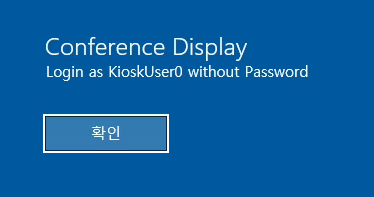
Success! Logged in as KioskUser0 without password.
Kiosk Environment Escape
The desktop is locked down (kiosk mode). Standard applications are restricted.
Windows key still functional - opens Start menu.
Search for Microsoft Edge:
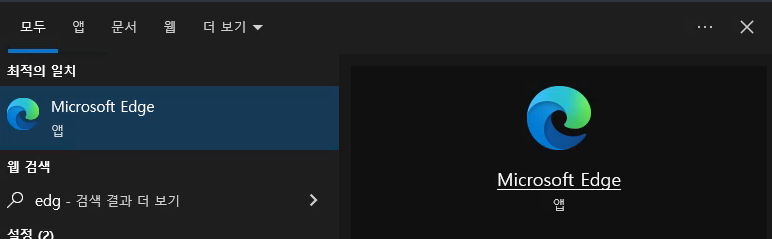
Edge browser opens successfully.
File System Access via Browser
Navigate to C:\ in Edge address bar:
User flag obtained from Desktop.
Interesting Discovery
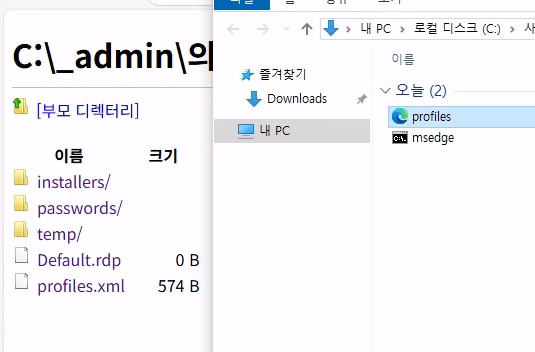
Found _admin folder containing profiles.xml:
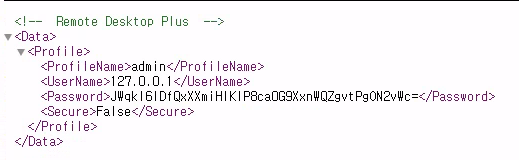
Contains encrypted credentials - note for later use.
Command Prompt Access
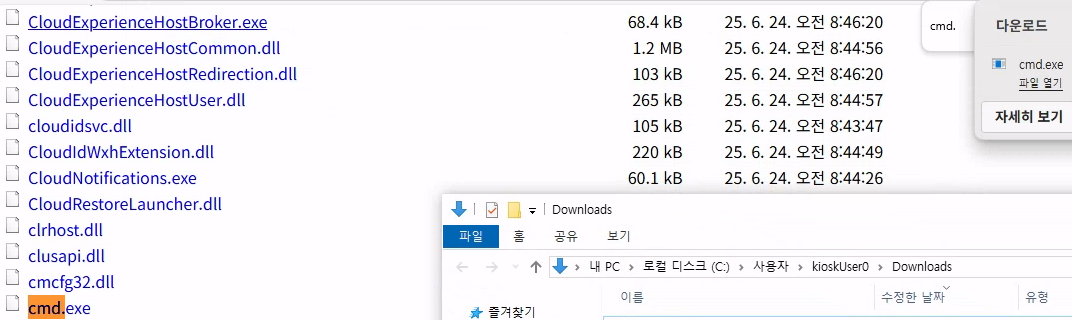
Navigate to C:\Windows\System32 to access cmd.exe:
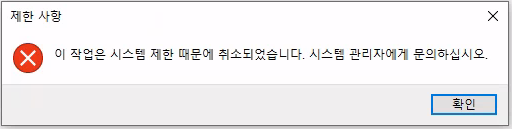
Clicking cmd.exe triggers download prompt (file explorer opens).
Application whitelist prevents execution:

Whitelist Bypass
Strategy: Rename cmd.exe to whitelisted application name.
Press F2 on cmd.exe and rename to msedge.exe (since Edge is whitelisted):

Success! Command prompt opens.
Powershell Upgrade
Standard commands produce noisy output:
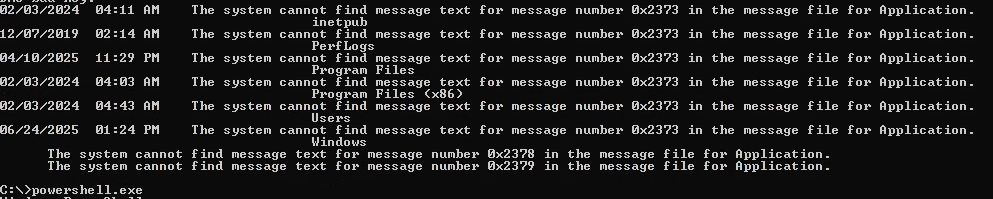
Switch to PowerShell:
powershell
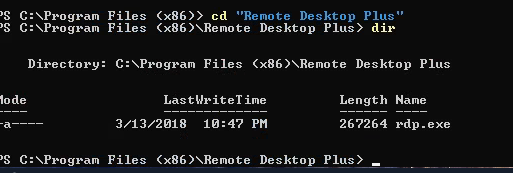
Clean execution environment achieved.
Credential Extraction
RDP Plus Discovery
Found in C:\Program Files (x86)\Remote Desktop Plus:
rdp.exe
Recall: Encrypted credentials in profiles.xml
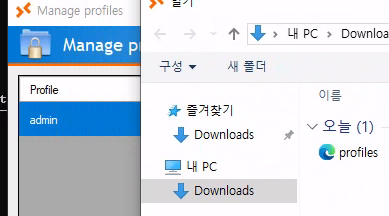
Import Profiles
- Copy
profiles.xmlto Downloads folder (accessible via file explorer) - Open RDP Plus
- Navigate to: Manage Profiles → Import Profiles
- Select
profiles.xmlfrom Downloads
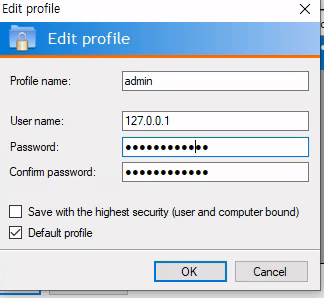
BulletsPassView
Password is hidden with bullet points. Use BulletsPassView to reveal.
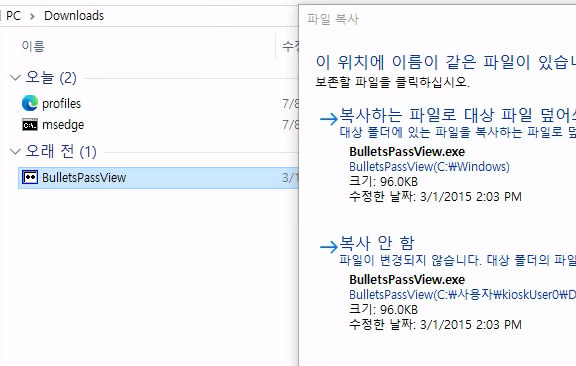
Transfer via clipboard (enabled with +clipboard in xfreerdp):
Drag and drop BulletsPassView from attacker machine to target’s Downloads folder.
Execute from PowerShell:
.\BulletsPassView.exe
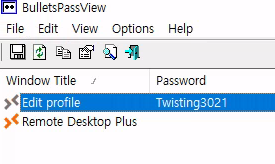
Password obtained: Twisting3021
Privilege Escalation
RunAs with Credentials
runas /user:Administrator powershell

Success! PowerShell running as Administrator.
GUI UAC Bypass
Since we have GUI access, we can bypass UAC easily:
Start-Process powershell -Verb runas
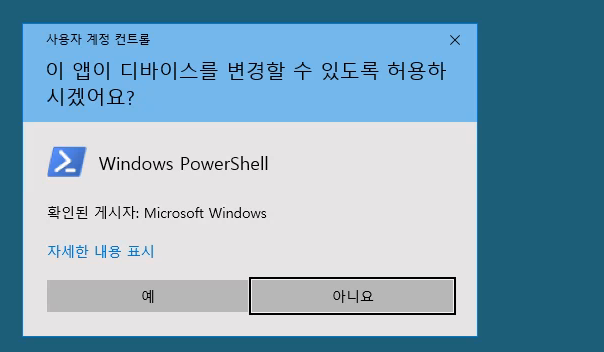
GUI UAC prompt appears - accept it.
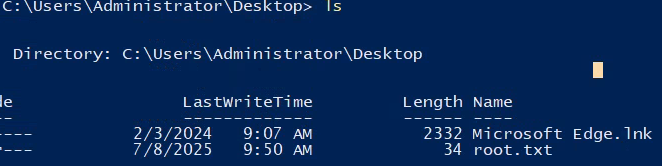
🎉 Administrator access obtained! Machine pwned!
Key Takeaways
- NLA Bypass -
-sec-nlaflag allows RDP access without credentials - Kiosk Escape - Web browsers can provide file system access in restricted environments
- Application Whitelist Bypass - Renaming executables to whitelisted names circumvents restrictions
- BulletsPassView - Reveals passwords hidden behind bullet points
- GUI UAC Bypass -
Start-Process -Verb runasprovides easy UAC bypass with credentials - Defense Recommendations:
- Enable and properly configure Network Level Authentication
- Implement strict application whitelisting by hash/signature, not filename
- Disable file system access through web browsers in kiosk mode
- Use credential managers that encrypt bullet-pointed passwords
- Implement proper UAC policies
- Monitor for renamed system executables
- Use Windows Defender Application Control (WDAC)
- Disable clipboard redirection in RDP for kiosk environments